
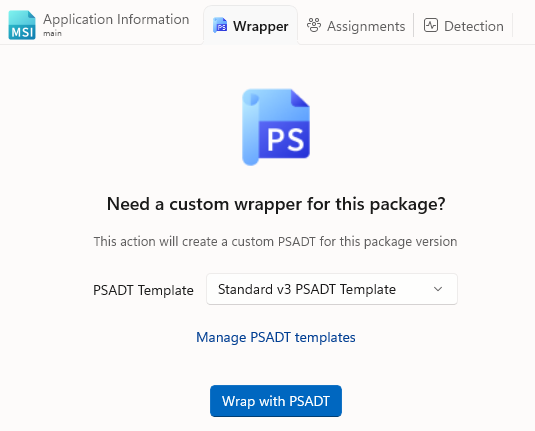
Wrap with PSADT
Use this button to wrap the package with the PowerShell App Deployment Toolkit. PacKit uses the latest version of this tool and updates the new PSADT wrapper with the package data from your workspace, using placeholders in the script to synchronize its contents.
You can choose which PSADT Template will be used to perform the wrap. To configure the available PSADT templates or to add a new one, click on the Manage PSADT templates hyperlink.
PowerShell Script Editor
This section will be available after clicking on the Wrap with PSADT button.
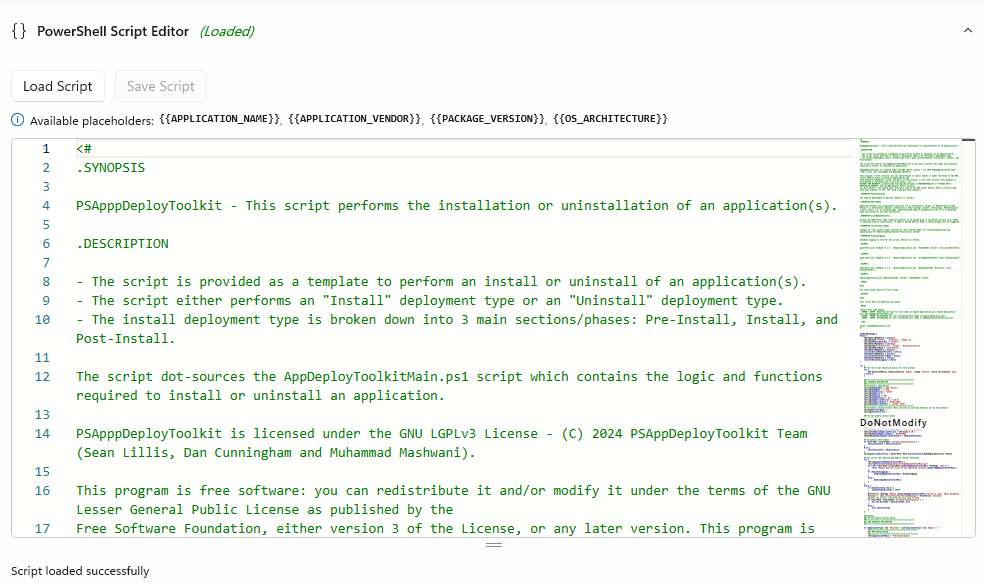
The PSADT script can be edited using our built-in editor or by directly editing the PS1 file using your preferred editor.
Placeholders are used to synchronize the script with the values you specify in the GUI. The following placeholders are supported in the PowerShell script editor :
{{APPLICATION_NAME}}
- points to the name of the app
{{APPLICATION_VENDOR}}
- points to the manufacturer of the app
{{PACKAGE_VERSION}}
- points to the version of the package
{{OS_ARCHITECTURE}}
- points to the operating system architecture
Use [Load Script…] and [Save Script…] pushbuttons to reload and save the script if the file was modified outside of PacKit.
Light(Default), Dark or High Contrast viewing modes can be selected.
