
Open Package Manifest (OPM)
Deployment information belongs with the application.
OPM is the open format that makes it possible.

and workflows remain
on-premise.

anyone can use.
MIT Licensed

MECM, WinGet,
and CI/CD pipelines.
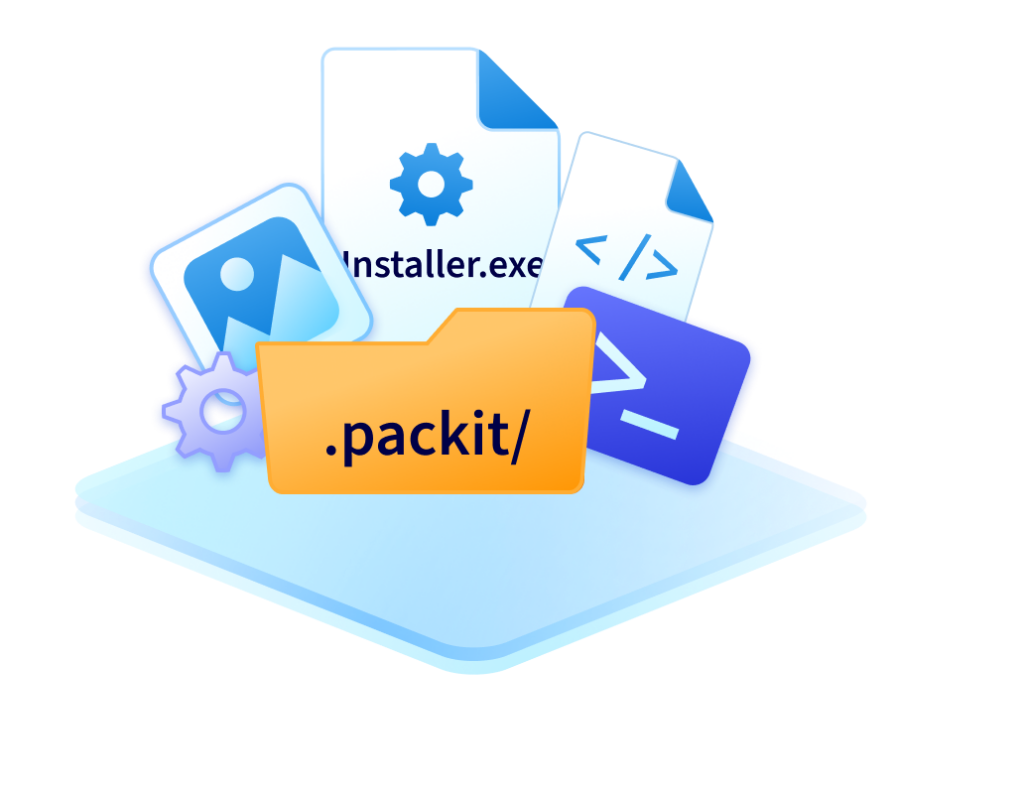
What is OPM?
OPM keeps everything you need to deploy an application in one place, right next to the installer.
It includes install commands, detection rules, requirements, assignments, and other deployment settings.
The OPM lives in a folder called “.packit” alongside the installer, creating a single source of truth for the application’s deployment information.
And it’s a free, open format anyone can use.
The Deployment Information Gap
Metadata lives everywhere except where it’s needed.
Install commands in one document, detection rules in a script, assignment groups maintained across different tools.


With OPM, deployment information travels with the application.
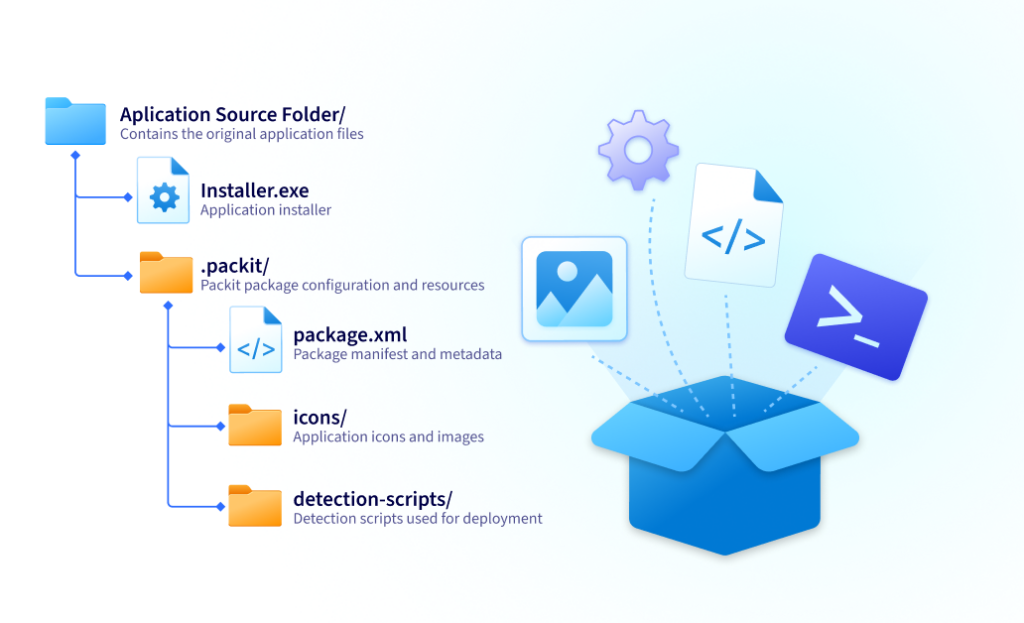
One folder. Next to your installer.
Everything needed to deploy your application.
Why OPM Exists
Packaging information shouldn't live inside our product, or inside the cloud of another vendor. It should travel with the application itself.

Bogdan Mitrache
VP of Product @PacKit
The Three Principles of OPM
Open by design
The format is documented and free to read or write with the open-source PowerShell module.
No PacKit license required to create or consume it.
Tool-independent
Any tool that creates a folder called “.packit” can hand it off to any tool that reads one: PacKit, PowerShell, CI/CD pipelines, or a vendor’s own tooling.
Built for version control
It is stored as an XML file next to your source. Diff it, review it in a pull request, roll it back like any other file in your repository.
Why is OPM Open?
Windows application deployment has lacked a common way to package deployment information.
We think it should.
That’s why we’re publishing the specification, open-sourcing the PowerShell module, and encouraging vendors, consultants, and IT teams to build on OPM.
The more tools that support OPM, the more useful it becomes for everyone.

How to Get Started With OPM
You package apps or run a pipeline
Generate a folder named “.packit” using the free, MIT-licensed PowerShell module.
No PacKit installation required, but you can use that too if you prefer our GUI.
You deploy to Intune or MECM
Ask whoever packages the application to drop a folder named “.packit” next to the installer.
Point PacKit at that source folder, and every UI field is already filled in; it runs on your desktop, no server needed, no mandatory tenant connection. Or just build your own script to upload the packages, leveraging our PowerShell Module.
Community Voices
Join the OPM community
Share your perspective, open discussions, and contribute directly on GitHub.
Frequently Asked Questions
What is OPM?
OPM is an open format for storing a Windows application’s deployment information, such as install commands, detection rules, requirements, and other deployment settings, which remain with the application rather than being recreated in each tool.
Is OPM only for PacKit?
No. OPM is an open format that anyone can implement. PacKit supports it, but the format isn’t tied to PacKit. Any tool can generate or read a compliant “.packit” folder.
Why not keep deployment information inside deployment tools?
Because deployment tools change. Teams migrate to new platforms, adopt new workflows, or use multiple tools at the same time. When deployment metadata stays with the application, it only needs to be created once.
Do I need a PacKit license to use OPM?
No. The specification is free to use, and the PowerShell module is open source under the MIT license. You can generate, read, or implement OPM without a PacKit license.
How do I get started?
If you’re packaging applications, use the free PowerShell module to generate a “.packit” folder or the free edition of PacKit. If you’re deploying applications, ask your packaging team to include the “.packit” folder next to the installer, then import it with an OPM-compatible tool.
