
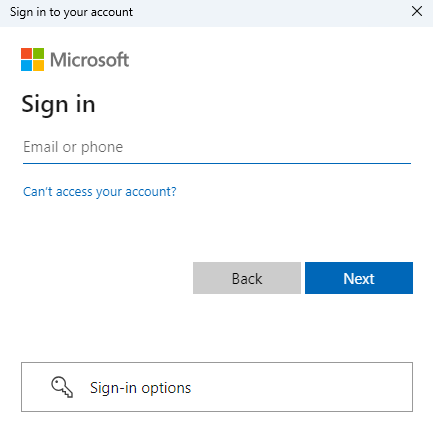
To assign apps and upload them to Intune, an Intune authentication is required. This process is managed entirely by Microsoft in a completely secure environment via the familiar Microsoft Sign in to your account prompt.
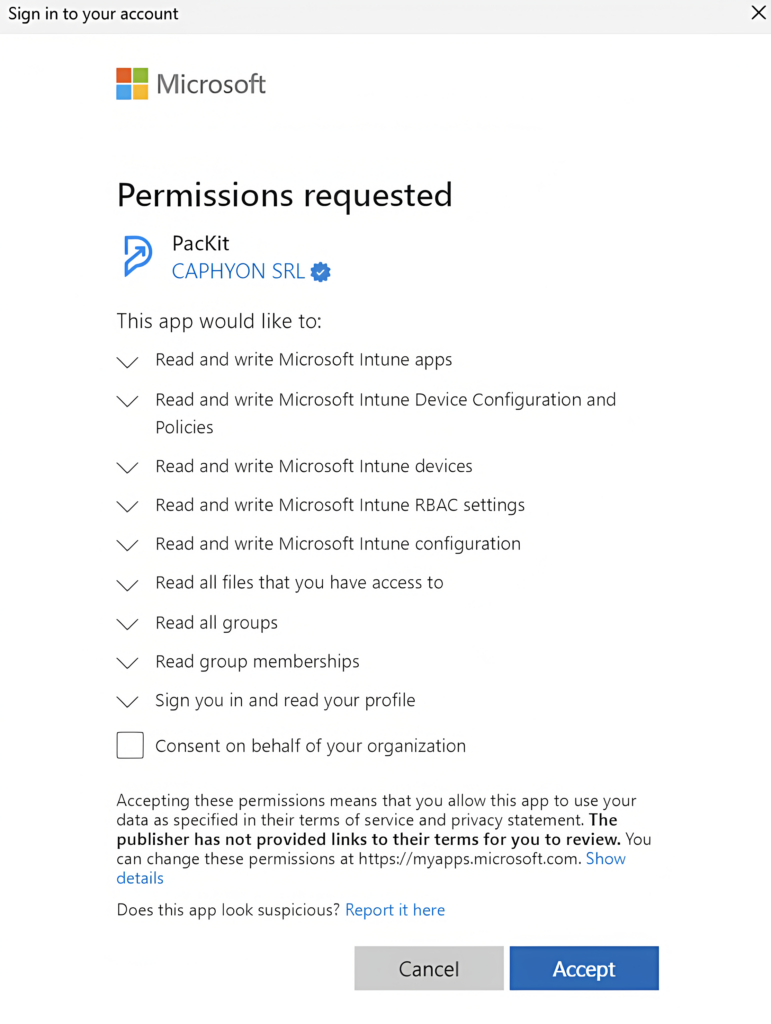
Just enter your Microsoft Intune credentials and follow the steps. PacKit will require you to grant permission to manage your Intune tenant resources. Without these permissions, it cannot upload a package or load your Entra ID user groups.
If you are not an administrator for your Intune tenant, please inform your administrator and ask him to grant PacKit the necessary permissions and consent on behalf of the entire organization. You can use the following e-mail template to achieve this:
Hi,
We are evaluating a new solution that helps manage our Intune applications called PacKit. This tool is built by Caphyon, the same company that is building Advanced Installer, a product with over 20 years of experience in the packaging industry and tens of thousands of paying of customers.
The tool can upload packages to Intune, speed up packaging and patching, also manage app assignments. To handle all these tasks it requires we register it into our tenant and grant the following permissions, for the entire organization.
Just click this link and follow the steps prompted by Microsoft in the browser:
You should see a screen like the one mentioned in their docs, listing the requested permissions:
https://www.getpackit.com/docs/using-packit/intune-login-experience
After you accept the permissions request, the web browser should redirect you to their documentation page, linked above.
Thanks
The permission prompt will only appear the first time you set up PacKit in your Intune tenant. After that, you will see only the login prompt. A logged-in session is saved by PacKit as long as the application is running. After you close PacKit and launch it again a new login will be required, the first time you upload a package to Intune or try to load/refresh the Entra ID user groups list.
The first time log in, a prompt from Microsoft Intune will be displayed asking for a list of permissions from your organization, if an administrator from your tenant has not already approved PacKit in your organization.
This step is very important. Please ensure your organization accepts these permissions. Otherwise, you will not be able to fully leverage most of the automation workflows available in PacKit.
Please note that the Intune login is established as long as the PacKit process runs. If you close the process and re-open it later a new Microsoft Intune login is required.
