
These buttons displayed in the top part of the Package Information page for PSADT deployments give you the option to perform certain actions on the selected PSADT deployment:

Manual Update
Click on this button to manually update the application by picking the new package from the disk.
Upload to Intune
Upload the package to Intune
For PSADT files the Win32 deployment is used; thus a .intunewin file will be created before the package is uploaded.
The .intunewin file will include all the files and folders found in your PSADT folder, as listed in the Resources group.
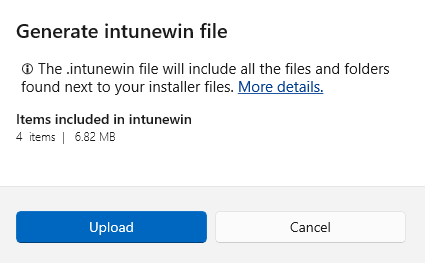
The Upload prompt contains the folder size and number of files included in the .intunewin file – to help avoid cases where more files are accidentally included:
Upload to MECM
Upload the package to MECM. All the package information except the App Assignment and the detection method configuration will be uploaded onto your MECM server. After the package has been uploaded, you need to assign it to the desired user groups from your MECM console.
