If you work as a software packager in an enterprise environment, you already know the drill.
With MSI packages, silent switches are a breeze because everything is standardized. You can use /qb or /qn, and that’s the story. MSIX makes it even easier because we have MSIX cmdlets to assist us. However, the moment we stumble upon a new EXE, everything slows down.
Now, if we’re talking from a best practices perspective in the software packaging, the rules are that you should first check if that EXE is a wrapper for a hidden MSI inside of it, or the next step would be to repackage the EXE package inside an MSI. However, companies realized over the years that the time spent to repackage an EXE to an MSI is a waste.
Keep in mind that we have two variables:
- Due to processes, the repackaging, delivery, UAT, and Release times, you might end up spending almost a month until a package reaches the users in its repackaged state
- Nowadays, application patches don’t follow a strict schedule, and you may have multiple application patches per month
If a new version of the application has been released but the previous version has yet to be distributed to users, repackaging makes no sense in terms of productivity, commercial viability, or even cybersecurity.
As a result, companies nowadays prefer to wrap EXE packages with tools such as PowerShell App Deployment Toolkit, install them silently, apply whatever customizations are needed after the installation, and call it a day.
This way, you have a much faster delivery time of the package, the UAT is passed easier, and there are fewer package returns because there are no errors in the packaging process. You are simply installing the original EXE silently with no modifications.
However, this approach has its challenges.
If you open a browser tab and search for the app name plus “silent install switch”, chances are that first you find a forum post from 2011 with three contradictory answers and one guy confidently recommending “/s” when the actual flag is “/silent”. After you try them one by one in a test environment for half an hour, you’ve finally packaged what should have taken five minutes.
This is one of the most common frustrations in the Win32 packaging industry, and it is completely unnecessary in 2026. There are better ways to handle this, and we will look over them in this article.
This is a continuation of our previous “finding an EXE” article on the Advanced Installer blog.
Why EXE Silent Switches Are Such a Mess
The root of the problem is that, unlike MSI or MSIX packages, EXE installers have no universal standard.
EXE installers started out as ZIP files that extracted the files to a predefined location, but they grew to include tools for manipulating other parts of the system, such as the registry.
So EXE installers can be considered as “wrappers”, and the framework used by the developer (InstallShield, NSIS, Inno Setup, WiX, or a custom bootstrapper) determines which switches are available, what they are called, and how they behave.
For example, the silent install parameter varies depending on the wrapper, with options such as “/S”, “/s”, “/silent”, “/quiet”, “/q”, and “/VERYSILENT”.
Another unfortunate event is that vendors don’t often publish the switches at all.
Step One: Find the Silent Switch Faster
When you are dealing with an unfamiliar EXE, your best move would be to use a dedicated silent switch finder rather than a general web search.
AI is also an option nowadays, but remember that all AIs come with the disclaimer that “X is an AI and can make mistakes, please double-check responses”.
The Silent Install helper, which catalogs known switches organized by installer technology, is a tool worth checking out. Instead of guessing or searching through forum threads, you can identify what framework an EXE was built with and look up the relevant flags directly.


For NSIS installers, “/S” is the standard, while for Inno Setup, you want to use “/VERYSILENT /SUPPRESSMSGBOXES”. InstallShield has its own set, as does WiX.
Once you know the framework, finding the right switch becomes a matter of seconds rather than twenty minutes.
Step Two: Stop Re-Doing the Same Work
Finding the silent switch is only half of the problem. The other half occurs six or twelve months later, when the same application releases a new version.
You repeat the process: finding the installer, looking for the switch, testing it, and documenting it somewhere, hoping that you can find the documentation.
This is where a tool like PacKit changes the workflow fundamentally. PacKit isn’t just a packaging utility, but it acts as a persistent knowledge base for your application catalog.
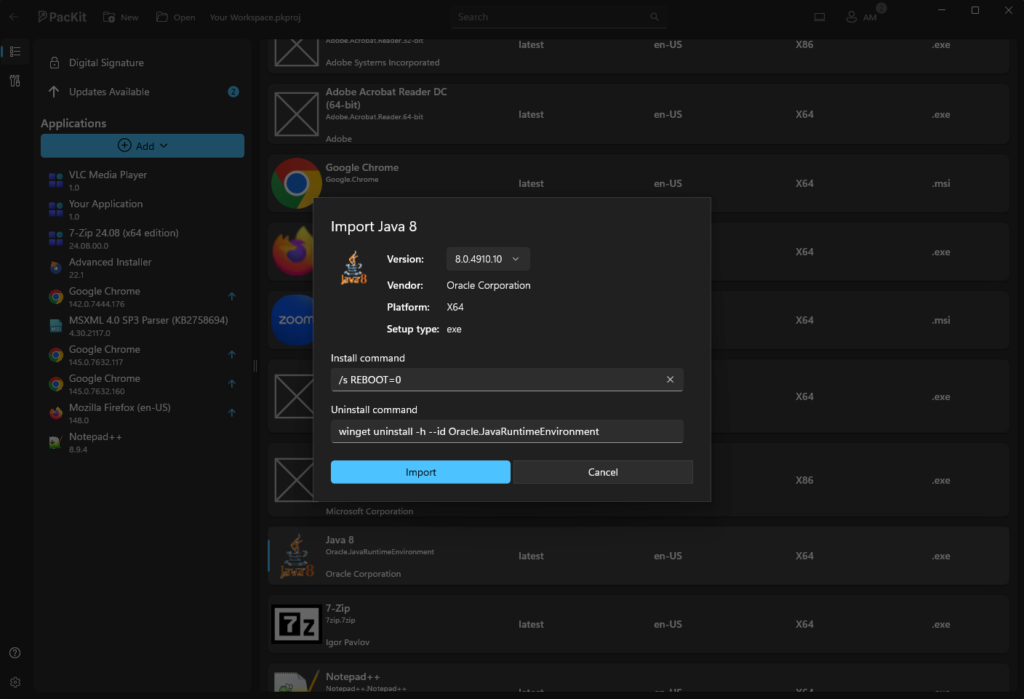
When you package an application and configure its silent install and uninstall command lines, PacKit stores that information so that when the next version of the same application comes out, PacKit reuses the commands automatically. You do not have to start from scratch with each update cycle.
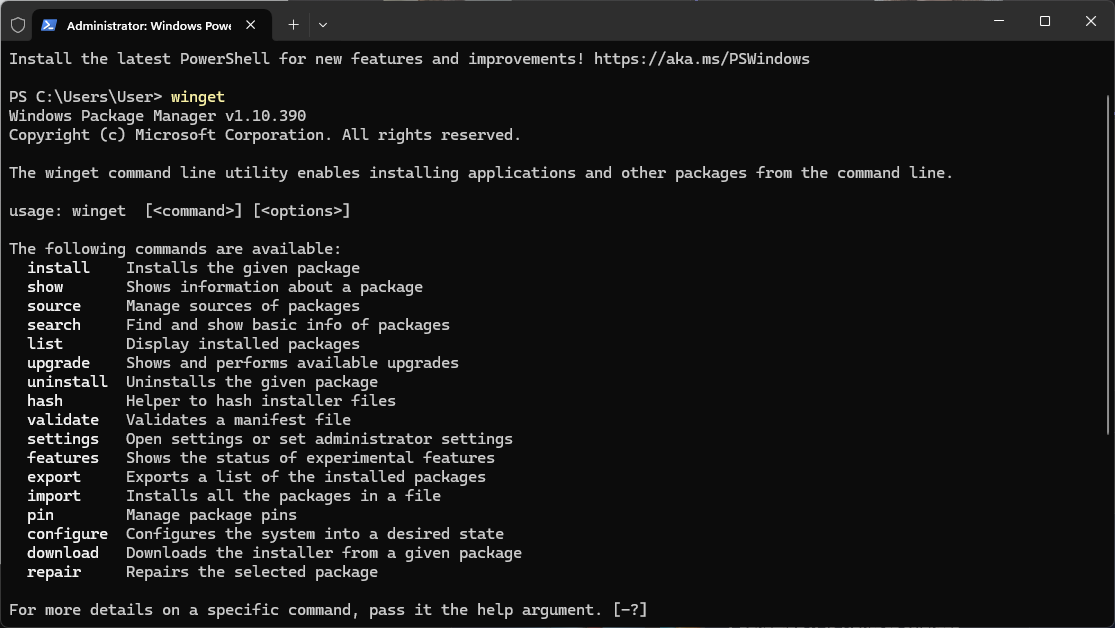
PacKit also includes WinGet integration, which makes it more useful. PacKit connects directly to the WinGet repository, which already contains install and uninstall metadata for thousands of commonly deployed applications.
For apps in the WinGet catalog, you don’t need to hunt for silent install switches at all because the information is already present and PacKit retrieves it when you import the package.
PacKit: A Practical Workflow That Actually Scales
When you put the two tools together, you get a packaging workflow that compounds over time rather than staying flat.
For any application available in WinGet, you can import it directly into PacKit and further customize it, such as adding and editing the PowerShell App Deployment Toolkit wrapper, and further on pushing it to MECM (SCCM) or Intune.
For EXE installers that aren’t in WinGet, you use the Silent Install Helper to identify the framework and look up the appropriate flags. PacKit remembers them after you manually plug those into it the first time. The next version of that application inherits the same configuration, as do the future versions.
Over time, your PacKit workspace becomes a curated catalog of everything your organization deploys, complete with tested and working command lines for every application. New team members don’t have to rediscover switches that someone else figured out a long time ago. Updates don’t require reinvestigations.
Final Takeaways
- EXE installers have no universal standard because each one is essentially a wrapper built on whatever framework the developer chose, and that choice alone determines what switches exist, what they are called, and whether the vendor bothered documenting them at all.
- Searching the web for silent switches remains the default approach for most packagers, but it consistently leads to the same dead end: contradictory forum posts, confident recommendations for the wrong flag, and thirty minutes of trial and error that should have taken five.
- Identifying the installer framework first is the move that changes the whole lookup process. Tools like Silent Install Helper are built specifically for this, letting you skip the forum mess and go straight to the flags that actually work for that framework.
- The switch itself is rarely complicated once you know where to look. NSIS uses “/S”, Inno Setup wants “/VERYSILENT /SUPPRESSMSGBOXES”, and InstallShield and WiX both have their own documented sets that are consistent across applications built on them.
- Finding the switch once is only half the problem. The part that quietly eats packaging time is the fact that nothing carries forward, so when the same application ships a new version, the investigation starts over from zero unless someone happened to write it down somewhere findable.
- PacKit addresses exactly that gap by treating your packaging history as a persistent knowledge base rather than a one-time transaction. The install and uninstall commands you configure for an application stay attached to it, and every subsequent version inherits them without any additional lookup.
- For applications already present in the WinGet catalog, the switch hunting is skipped entirely because PacKit pulls the install metadata directly from the repository, turning what used to be a research task into a straight import and deploy.
Conclusion
Packaging EXE applications doesn’t have to be a recurring research project. With the right reference tool to find silent switches and PacKit to store and reuse them across updates, you’re building a system that gets faster the more you use it, rather than one that resets every time a new version drops.
Download PacKit for free and start building your application catalog today.