The Modern Tool
That Finally Unifies
Packaging,
Deployment
& Patching
Backed by 20+ years of expertise from the team
behind Advanced Installer
Free for 30 days. Instant access.
PacKit is More Than Patching
It’s Packaging, Deployment & Patching – All in One Workflow
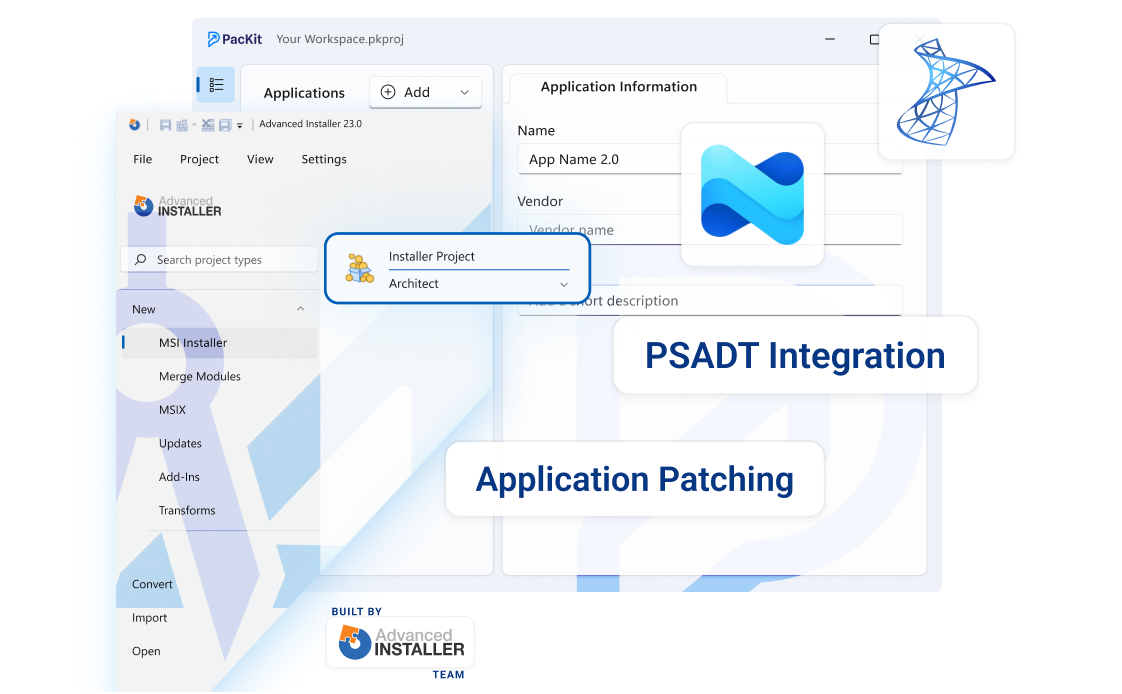
PSADT Integration
- Automate wrapper creation, script generation, and execution to reduce errors and ensure consistent deployments.
- Pull package details from existing PSADT scripts and deploy directly to Intune.
- Customizable Install and Uninstall commands.
- Fully compatible with PSADT templates v3.10.1, v3.10.2, and v4.x.
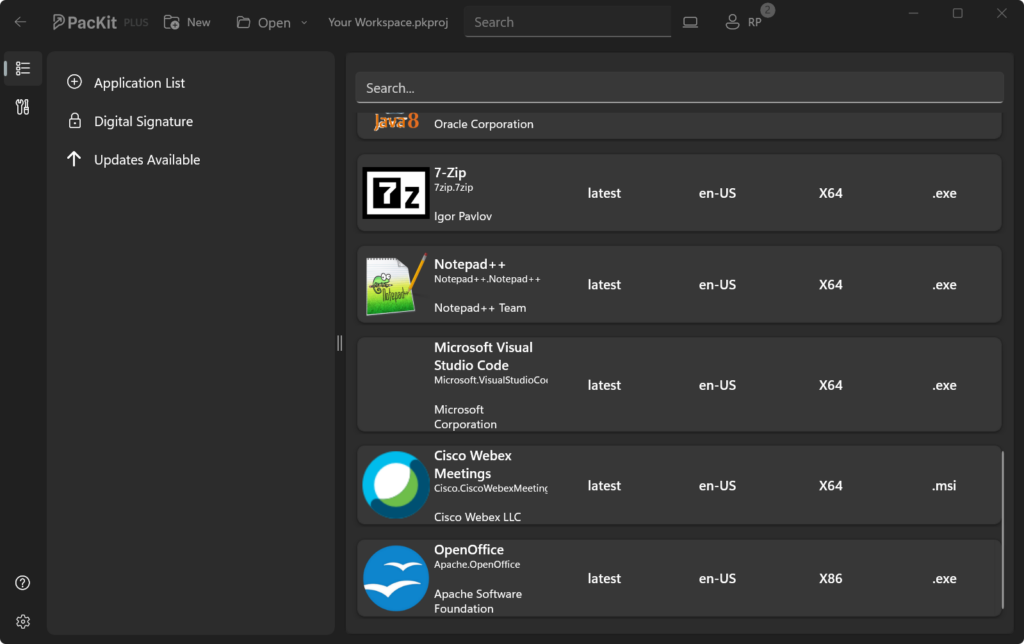
App Catalog
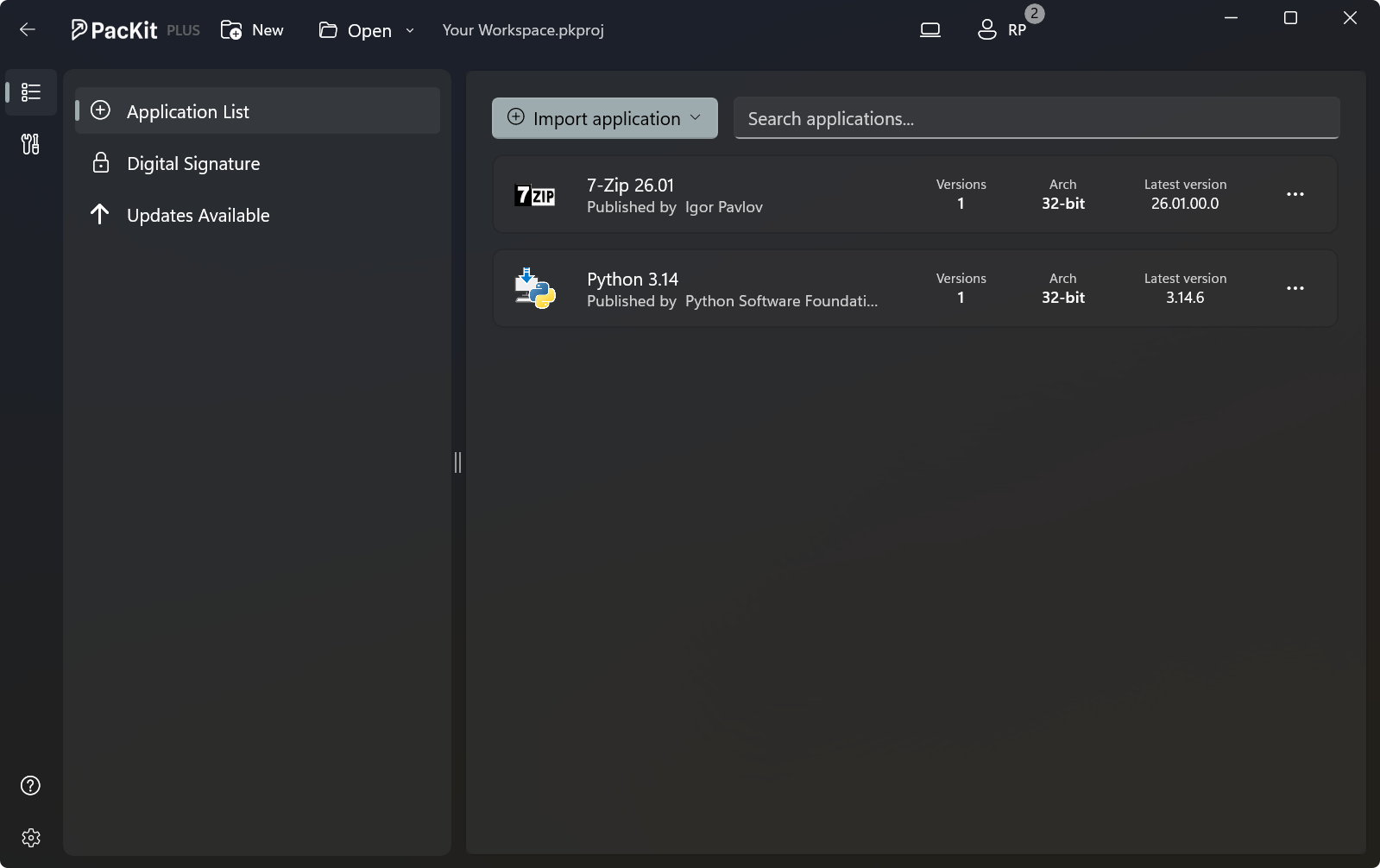
- Select, prepare, patch, and deploy commonly used packages with minimal effort.
- Organize catalog applications in separate workspaces for fast access and management.
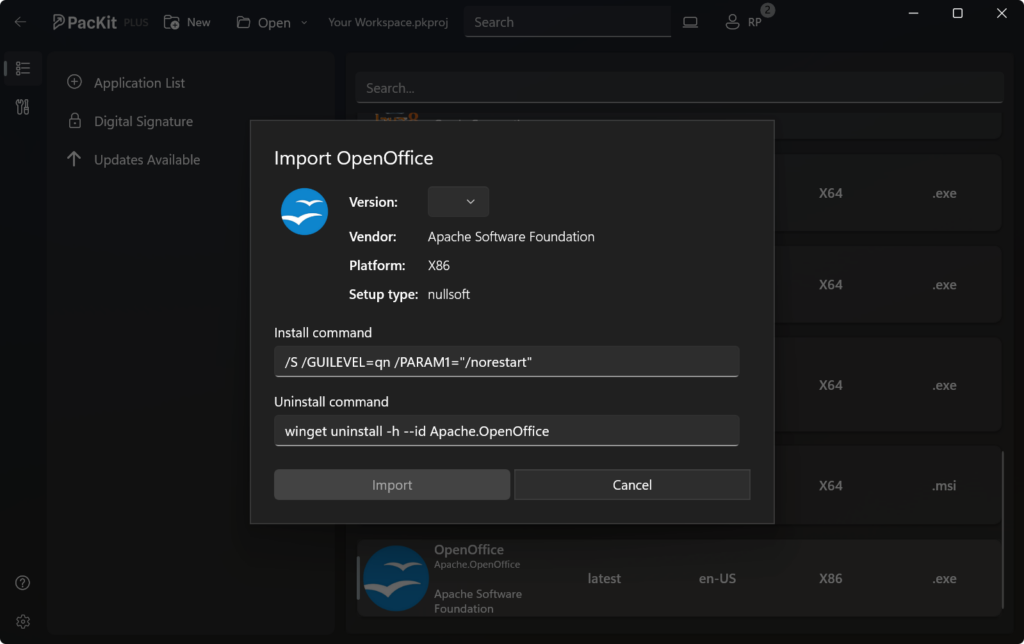
Silent Install Command Line Finder
- Automatically detect and configure silent install command-lines for App Catalog packages.
- PacKit automatically reuses the silent install command lines from older versions when updating packages, saving you time and preventing errors.
- Customizable Install and Uninstall commands.
- You’ll have a simplified process when configuring silent installations, ensuring a smooth and efficient deployment.
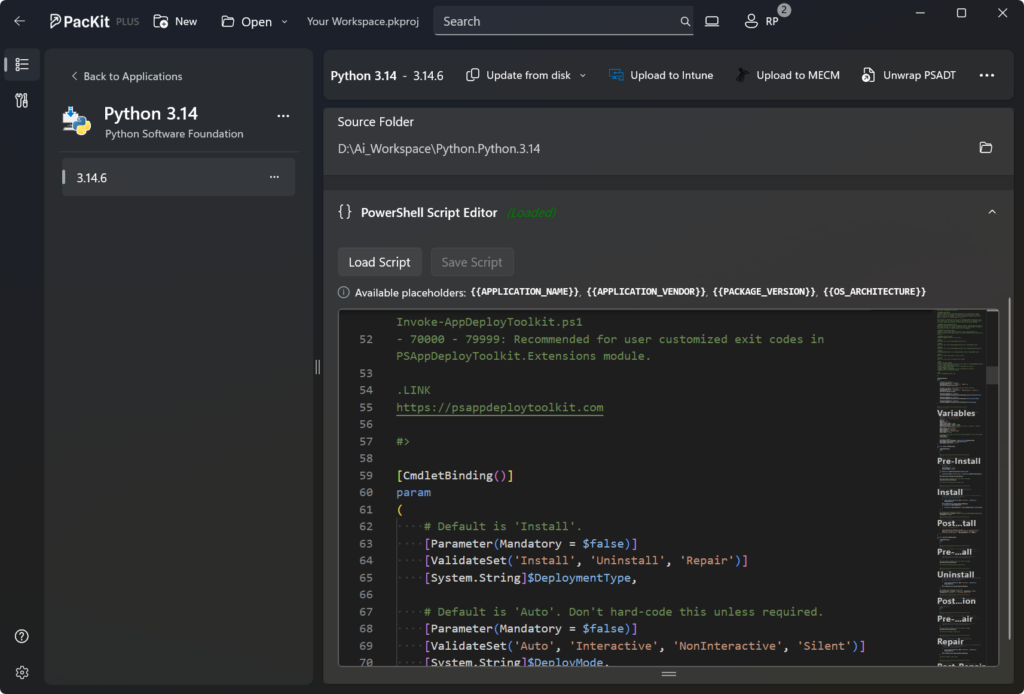
PSADT Script Editor
- Edit PowerShell Scripts With Confidence
- Create and update PowerShell scripts directly in your packaging workflow.
- Write, review, and manage your deployment scripts in one place.
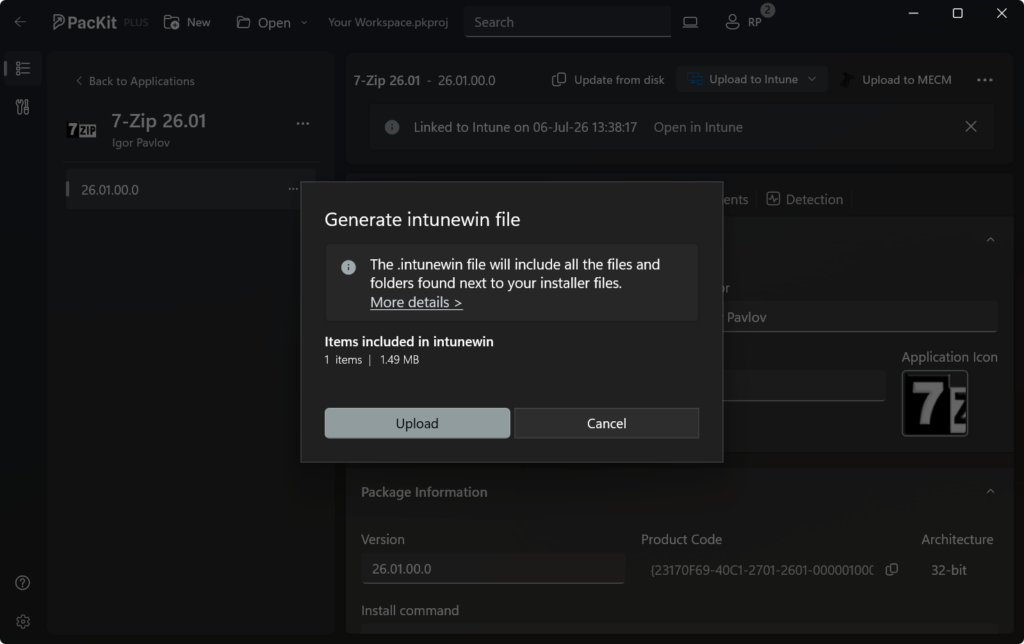
Generate .intunewin Automatically
- Convert EXE, MSI, or PSADT-wrapped packages to .intunewin.
- Reuse install command lines from sibling packages when deploying the .intunewin file.
- Skip manual steps and deploy apps quickly and reliably.
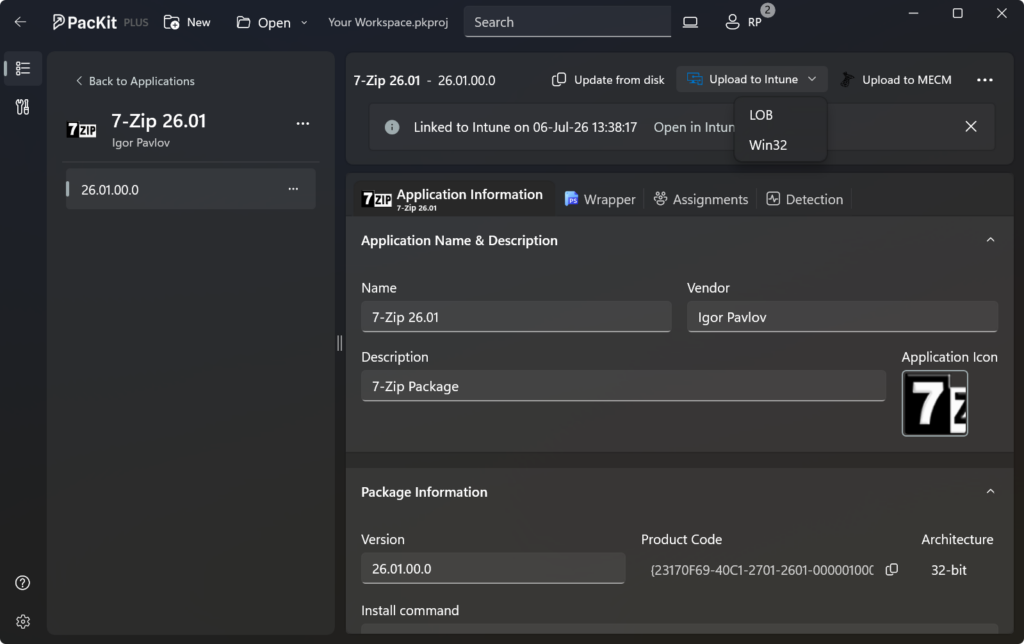
Upload to Intune
- Create EntraID groups directly from PacKit.
- Assign apps in Intune with one click, ensuring consistent and reliable software deployments.
- Re-use app assignments when deploying updates
- Manage Intune detection rules effortlessly.
- Upcoming: Multi-tenant support.
PSADT Integration
- Automate wrapper creation, script generation, and execution to reduce errors and ensure consistent deployments.
- Pull package details from existing PSADT scripts and deploy directly to Intune.
- Customizable Install and Uninstall commands.
- Fully compatible with PSADT templates v3.10.1, v3.10.2, and v4.x.
App Catalog
- Select, prepare, patch, and deploy commonly used packages with minimal effort.
- Organize catalog applications in separate workspaces for fast access and management.
Silent Install Command Line Finder
- Automatically detect and configure silent install command-lines for App Catalog packages.
- PacKit automatically reuses the silent install command lines from older versions when updating packages, saving you time and preventing errors.
- Customizable Install and Uninstall commands.
- You’ll have a simplified process when configuring silent installations, ensuring a smooth and efficient deployment.
PSADT Script Editor
- Edit PowerShell Scripts With Confidence
- Create and update PowerShell scripts directly in your packaging workflow.
- Write, review, and manage your deployment scripts in one place.
Generate .intunewin Automatically
- Convert EXE, MSI, or PSADT-wrapped packages to .intunewin.
- Reuse install command lines from sibling packages when deploying the .intunewin file.
- Skip manual steps and deploy apps quickly and reliably.
Upload to Intune
- Create EntraID groups directly from PacKit.
- Assign apps in Intune with one click, ensuring consistent and reliable software deployments.
- Re-use app assignments when deploying updates
- Manage Intune detection rules effortlessly.
- Upcoming: Multi-tenant support.
Move from SCCM to Intune Without Months of App Rebuilds
Keep what works with PacKit.
- No tab hopping.
- No tools jumping.
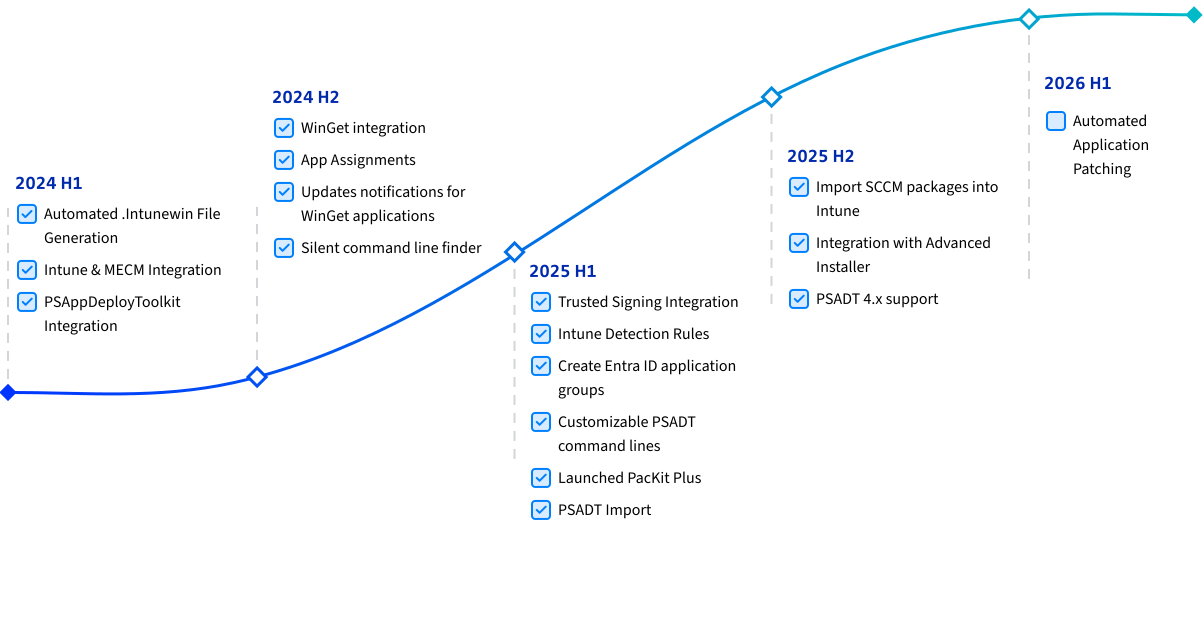
- PSADT package import
Built to Cut Down Repetitive Work
Designed for IT Pros
by IT Pros
PacKit offers an intuitive interface, and our focus on usability ensures that both seasoned IT professionals and newcomers can navigate and use PacKit with ease.
User-Centric
We commit to monthly updates with exciting features and enhancements based on real feedback.
Windows-Based
PacKit is specifically designed for Windows platforms, ensuring seamless integration and compatibility.
Easy Setup
Our easy setup process allows you to quickly install and configure PacKit, so you can focus on what matters most— managing your applications, deployments, and updates efficiently.
Command Lines and Silent Switches Repository
Gain instant access to a vast repository of command lines and silent switches, streamlining your deployment processes.
One-click Upload to
MECM & Intune
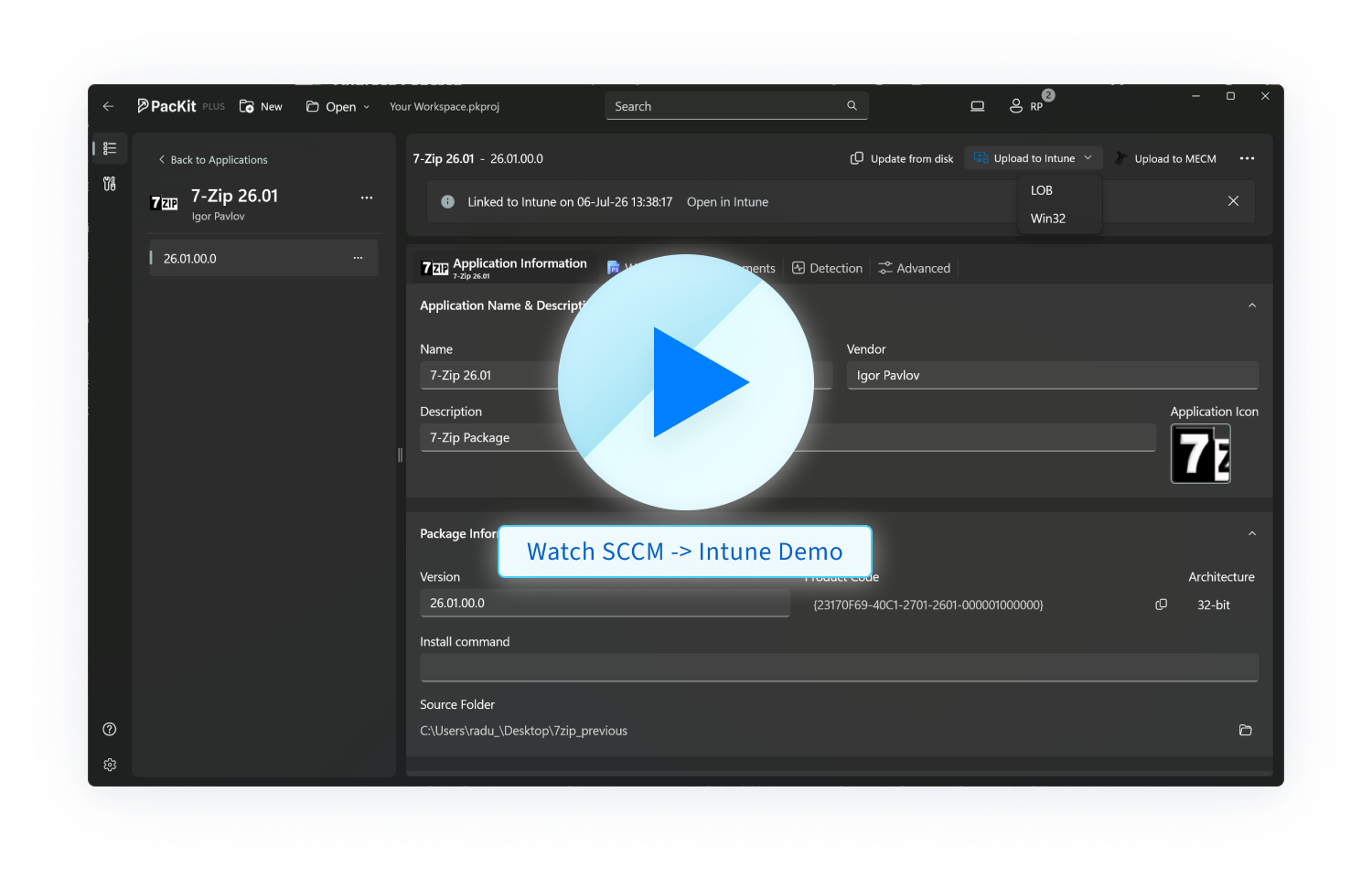
Deploy your applications to MECM (former SCCM) and Intune with just one click, and benefit from a simplified deployment process.
Excellent Support
PacKit offers excellent support, backed by our team of experienced professionals.
Whether you need help with setup, troubleshooting, or optimizing your deployment processes, our support team is here to assist you every step of the way.
Focused Features
We implement only what matters.
At PacKit, we focus on delivering the essential features exceptionally well, providing a streamlined and efficient deployment experience
20+ Years of Experience in Application Packaging and Deployment
PacKit is developed by the same team as Advanced Installer, leveraging over 20 years of application packaging and deployment expertise.
Ready to Experience Unified Packaging, Deployment & Patching?
Free for 30 days.
Instant access. No forms required.
Whenever in need, we have TONS of resources
to help you get started with PacKit, and more.
Blog

Why Your Intune Registry Detection Rules Fail (Even When the App Is There)
If you read our previous article on Intune deployment latency and how the Intune Management Extension (IME) handles its check-in cycles, you already know that timing plays an important role in Intune’s behavior. In this article, let’s talk about registry-based detection rules and the possible reasons why they fail in some applications. How detection rules work in IME Before we get into the reasons, let us first try to understand how things should work in

Why Replacing the .intunewin File Is Not Enough to Update an App
If you’ve been following along, we’ve already covered a lot of ground on how Intune handles Win32 applications, as well as the mechanics of the detection rules, why your Intune registry detection rules fail, and a full installation flow. These pieces focused on how Intune decides whether an application needs to be installed in the first place. In this article, I’d like to also cover another scenario of a separate behavior that some people might

Troubleshooting Win32 applications in Microsoft Intune
Troubleshooting Win32 applications in Microsoft Intune can sometimes feel complex, especially when deployments fail without clear error messages in the Intune portal. Fortunately, the Intune Management Extension (IME) provides detailed client-side logging that helps understand exactly where an application deployment is failing. The IME service logs every stage of the Win32 deployment workflow, including content download, decryption, installation, and compliance reporting. Understanding this client-side process is one of the most effective ways to troubleshoot Intune
Videos

Why Your Intune Registry Detection Rules Fail (Even When the App Is There)
If you read our previous article on Intune deployment latency and how the Intune Management Extension (IME) handles its check-in cycles, you already know that timing plays an important role in Intune’s behavior. In this article, let’s talk about registry-based detection rules and the possible reasons why they fail in some applications. How detection rules work in IME Before we get into the reasons, let us first try to understand how things should work in

Why Replacing the .intunewin File Is Not Enough to Update an App
If you’ve been following along, we’ve already covered a lot of ground on how Intune handles Win32 applications, as well as the mechanics of the detection rules, why your Intune registry detection rules fail, and a full installation flow. These pieces focused on how Intune decides whether an application needs to be installed in the first place. In this article, I’d like to also cover another scenario of a separate behavior that some people might

Troubleshooting Win32 applications in Microsoft Intune
Troubleshooting Win32 applications in Microsoft Intune can sometimes feel complex, especially when deployments fail without clear error messages in the Intune portal. Fortunately, the Intune Management Extension (IME) provides detailed client-side logging that helps understand exactly where an application deployment is failing. The IME service logs every stage of the Win32 deployment workflow, including content download, decryption, installation, and compliance reporting. Understanding this client-side process is one of the most effective ways to troubleshoot Intune
Useful Tools Included In PacKit Free
Generate .intunewin
Generate the .intunewine file for your packages automatically using our simple GUI.
MSIX Troubleshoot
Run inside MSIX container
Frequently Asked Questions
A knowledge base of questions and issues that appear most often.
What is PacKit?
PacKit is a user-centric, Windows-based tool designed for centralized post-packaging configuration and deployment. It streamlines the process of managing application packages, integrating seamlessly with tools like Intune and MECM.
How does PacKit integrate with MECM and Intune?
How does the PSAppDeployToolkit Integration work?
PacKit integrates with the PSAppDeployToolkit to automate script generation. This minimizes errors and saves time by ensuring that your deployment scripts are consistently and correctly applied.
How easy is it to set up PacKit?
What makes PacKit different from other deployment tools?
Is there a free trial available for PacKit?
Yes, you can try PacKit for free. This allows you to experience its features and benefits firsthand without any initial cost.
Who can use PacKit?
What are Project-Based Workspaces?
Can PacKit help with silent installations?
Yes, PacKit includes a Silent Switch Finder that efficiently locates silent switches for your application installations. It also simplifies managing silent install command lines, making your software deployment processes more streamlined.
What kind of support does PacKit offer?
How does PacKit leverage the experience of Advanced Installer?
PacKit is powered by Advanced Installer, which has over 20 years of experience in application packaging and deployment. This rich history and expertise ensure that PacKit is a reliable and effective solution for your deployment needs.
What resources are available to help me get started with PacKit?
PacKit offers a variety of resources including user guides, video tutorials, and blog updates to help you get started and make the most of the tool.