Over the past ten years, the IT field has made progress in protecting its services. Following the 2017 fiasco, when two breaches brought the internet and everything related to IT down to its knees (yes, I am referring to the WannaCry Ransomware attack and the NotPetya Cyberattack), the cyber threat industry has evolved considerably and now plays an important role in maintaining security and compliance within all organizations’ infrastructures.
Long Story Short (TL;DR)
- Cybersecurity patching is mandatory now, not optional, because unpatched apps are the easiest way to break in.
- Windows app updates are complex (MSI, MSIX, EXE, and WinGet adoption), so tooling and process matter more than theory.
- Pick a deployment stack (MECM, Intune, PDQ, ManageEngine, or AppVentiX) and optimize for fast, consistent remediation, ideally with automation tools like PacKit.
Security and Compliance Challenges
Applications are one of the areas that are overseen by any cybersecurity department. Unpatched software introduces vulnerabilities that attackers can then exploit to compromise systems, steal sensitive information, or even worse, disrupt operations.
What is mind-boggling is the fact that even after so many years, corporations still face challenges in keeping the applications updated, and in a way, it’s understandable given the multiple factors that are involved.
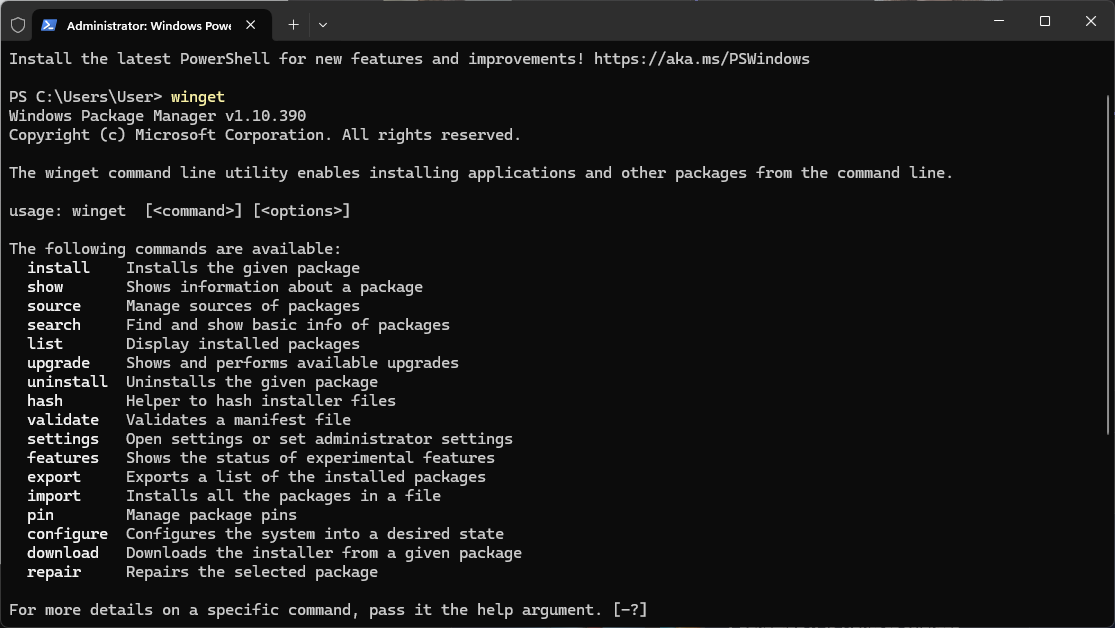
WinGet
The Microsoft OS is the most popular operating system used in organizations. However, WinGet was first announced in 2020, and the official release version happened in 2021, which is only four years ago.
Since the release of Windows in 1985, Microsoft has taken almost 40 years to implement a Windows Package Manager.
As expected, not all software vendors have yet accepted this package manager. At the time of writing, WinGet does not have all the desired software packages, and users will take some time to adopt this technology.
If you ask us how long it will take, we would tell you that, unfortunately, this is not something that we can predict, and we must keep an eye on its evolution.
Keep in mind that Linux distros have had package managers such as dpkg since 1993, and in 1995, the Red Hat team developed RPM, which became the standard for Red Hat, Fedora, and CentOS.
Wide array of Software Packaging Technologies
Another issue is the wide array of package types that are available for Windows. While variety is usually a good thing, in the IT field, variety means little or no standardization. Since the launch of Windows, we have seen many solutions for application packages.
Back in the 1990s, software packages were not even installers but rather ZIP archives with a “wrapper” to extract their contents. I’m referring to PKZIP, WinZIP, and other Self-Extracting EXE file tools. Apart from that, we had tools such as Nullsoft Scriptable Install System (NSIS) and Inno Setup, both of which allow you to create EXE files, but without a specific standard.
The MSI technology was technically introduced with the release of Windows 2000, but as with any piece of software (such as the previously mentioned WinGet), adoption takes time (if it’s going to be fully adopted).
However, MSI was not easy to work with, and while software packaging tools that offered the possibility of creating MSI files were available and reduced the workload, most software developers found it much easier to create installer packages using other technologies.
Because of this large array of options, it’s challenging for a software packager to standardize, and each software package is different. While the MSI technology has been adopted in higher numbers, it doesn’t mean that every software package uses MSI.
Take a look at Log4J from 2021. Log4J is a logging framework that is mostly used in Java-based applications. However, Log4J does not provide an installer, meaning the IT professionals had to learn how to fix the vulnerability and create their own installer, which fixed the issue.
Vulnerability Detection Tools
To keep an eye on cybersecurity in your infrastructure, you’ll need tools that help you detect vulnerabilities. There are many solutions available for handling these “notifications,” and it all depends on how your infrastructure is built. Some of the most popular Vulnerability Detection tools are:
Software Upgrade Options
Focusing on the software packaging side, we have multiple ways for updating software, and this will depend on the type of package.
MSI
For MSI packages, we can go through:
- MSP Patches
- MSI Upgrades
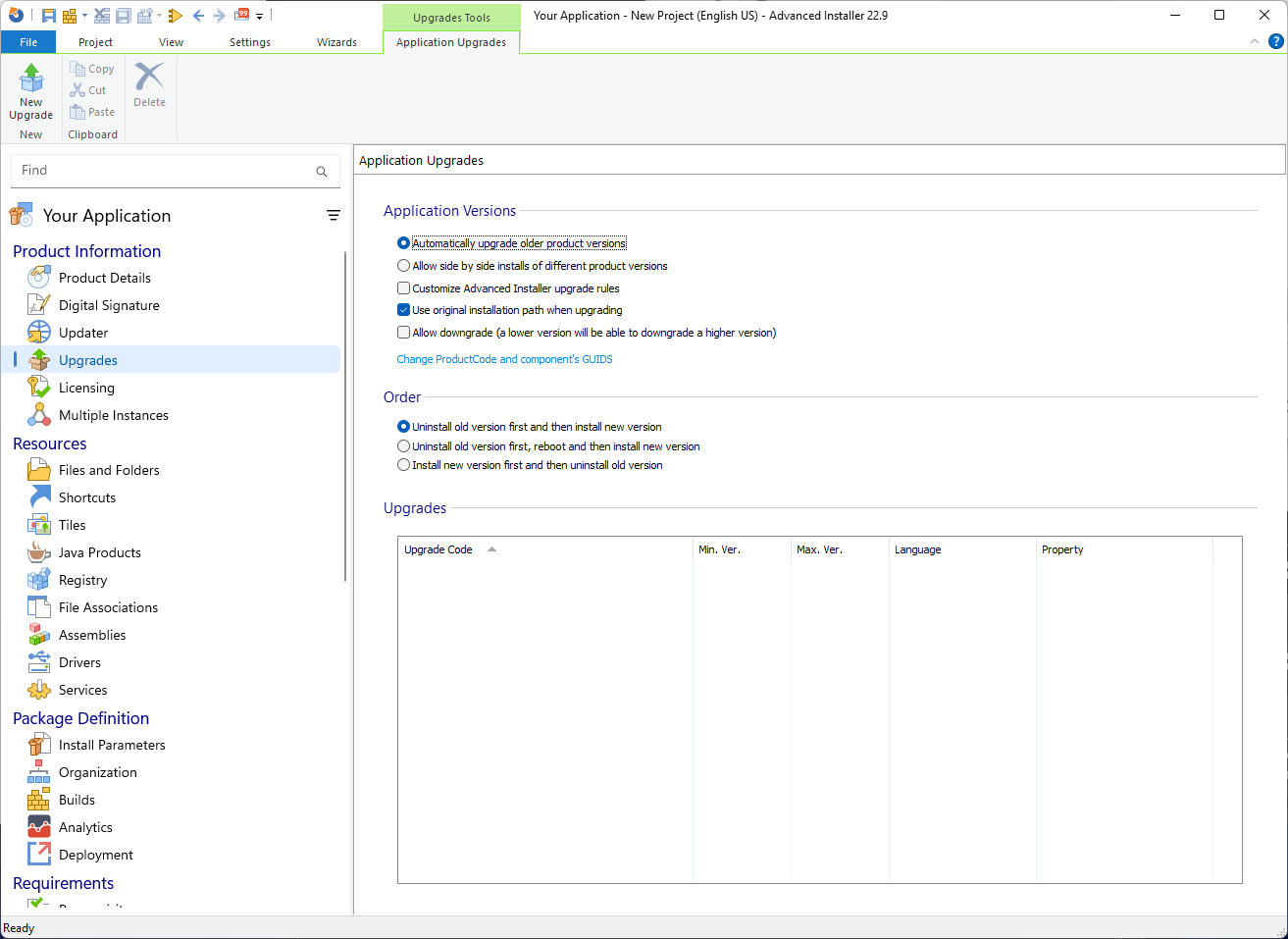
MSI Upgrades are generally the preferred way to update your software because package creation is much easier, requires less effort, and has fewer guidelines. Essentially, all we need to do on an MSI upgrade is to ensure that the Upgrade Code from the previous MSI package is properly introduced into the upgrade MSI, and that is it.
The situation is very different for MSI Patches. For starters, an MSP is technically the difference between two MSI packages.
To generate a patch for your application, you must:
- Create the MSI for v1.0 of your app
- Create the MSI for v1.1 following the patch rules
Create a patch project where Advanced Installer creates a diff of these two MSI packages
We have an article detailing more on the differences between MSI and MSP solutions, but generally, MSI Upgrades will be the preferred solution.
APPX/MSIX
In general, MSIX does not rely on product codes or upgrade codes to upgrade an old version of an APPX/MSIX Package, making things much easier than MSI. MSIX relies on Name, Publisher, Version, and Processor Architecture to perform an upgrade.
EXE
Unfortunately, there is no standard that we can use to evaluate EXE Packages. As previously mentioned, EXE packages can be created in multiple ways with different types of software.
We already touched base on our blog on popular EXE creation tools such as Inno Setup and NSIS Installer, but there are also others, such as Actual Installer, that can create EXE files.
Apart from that, EXE installers can also be created with tools such as 7-Zip, which creates a self-installing EXE file.
So, there are basically three ways to update EXE packages:
- Repackage the EXE into an MSI installation. However, to take advantage of the Upgrade Codes, you must make sure that the previous installation is also a repackaged MSI. Otherwise, a wrapper must be used to uninstall the previous version.
- The EXE automatically upgrades the application and provides a silent installation command line, so it can be directly placed in the deployment tool as it is.
- A wrapper is needed for further EXE adjustments, as the EXE doesn’t upgrade the application. The most popular wrapper nowadays in the software packaging industry is PowerShell App Deployment Toolkit (PSADT), which we covered extensively in our blogs. PacKit is a new app that also has a PSADT integration, including the 4.x version.
There are also other types of installers, such as ClickOnce applications, which we will not consider in this article.
Now that we learned about the different types of installer technologies, let’s cover some of the most popular infrastructure management solutions for patching your software.
Software Deployment Tools
While Microsoft provides solutions for managing an IT infrastructure, such as on-premise MECM (SCCM) or cloud Intune, these solutions require a significant financial investment and may not be suitable for small or medium-sized businesses.
The license fees for both solutions are quite high, reaching tens of thousands of dollars in investment. This also brings another issue in the cybersecurity field because every cybersecurity expert needs to work with the appropriate teams to ensure that everything is patched accordingly.
However, without a general standard in the industry, each company must develop its own blueprints and processes.
Let’s see what options are available.
Microsoft Endpoint Configuration Manager
We have talked extensively about MECM on our blog since it has been the preferred on-premises infrastructure management solution for decades.
MECM allows you to take full advantage of your infrastructure and create “golden images” using Task Sequences, drivers, Office 365 management, compliance reports, and so on.
Microsoft Configuration Manager (ConfigMgr) is also known as:
- Microsoft’s System Center Configuration Manager (SCCM)
- Microsoft Endpoint Configuration Manager (MECM)
I will use the acronym “MECM” to refer to it in this article because it is one of the most widely used terms in the deployment and packaging industry, both by me and by many others.
MECM also allows you to deploy application packages. You can do that using either the standard Package model (which is technically considered legacy for applications) or the Application model.
We already have an in-depth article explaining the differences between the two models, but we need to understand that this is the main method for deploying software updates.
Based on the above classification of types of packages, MECM holds strong and offers the possibility to:
- Natively deploy MSI packages
- Natively deploy MSIX/APPX Packages
Deploy custom applications: This is usually used for scripted installations, using tools such as PSADT
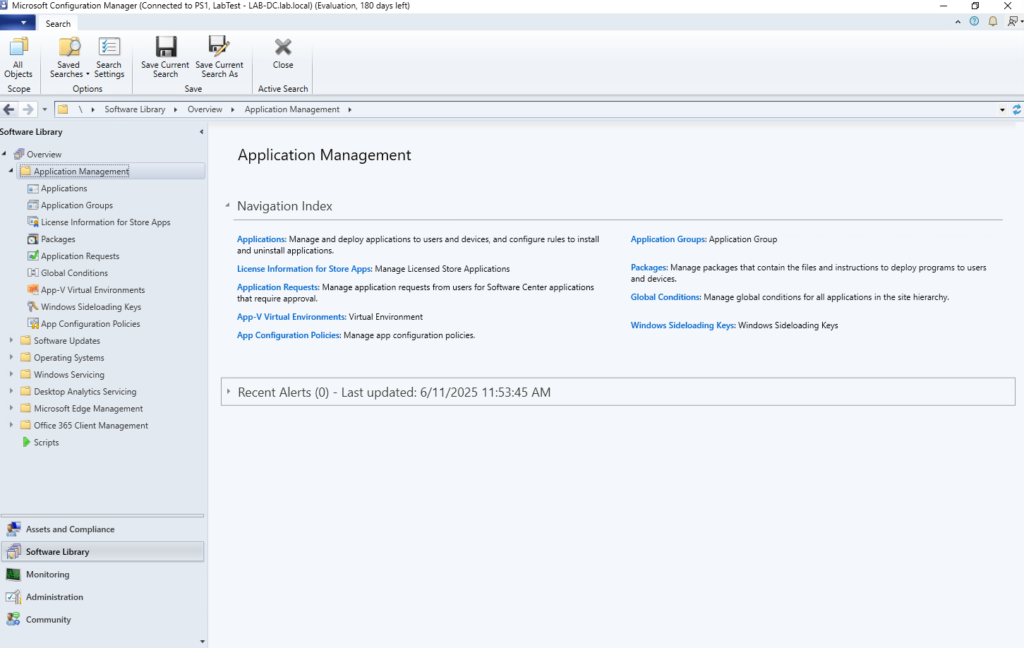
The licensing costs for Microsoft Endpoint Configuration Manager (MECM) depend on several factors, including whether you opt for per-device or per-user licensing and whether you have Software Assurance (SA) or a Microsoft 365 subscription.
The prices listed below are current as of late 2025.
As an example, for 1000 computers, the monthly licensing cost for Microsoft Endpoint Configuration Manager (MECM) is estimated to be around $1890. However, the actual costs depend on factors such as licensing type, Software Assurance, and Microsoft 365 integration.
Keep in mind that the above costs only cover the license part. This is an on-premises solution, so you would need to take into consideration at least some hardware to run MECM on, which will considerably increase the price.
Microsoft Intune
Intune is Microsoft’s cloud administration solution.
We have talked about Intune intensively and provided support through Advanced Installer.
As with MECM, Intune allows you to securely manage devices, access rights, and apps within your organization.
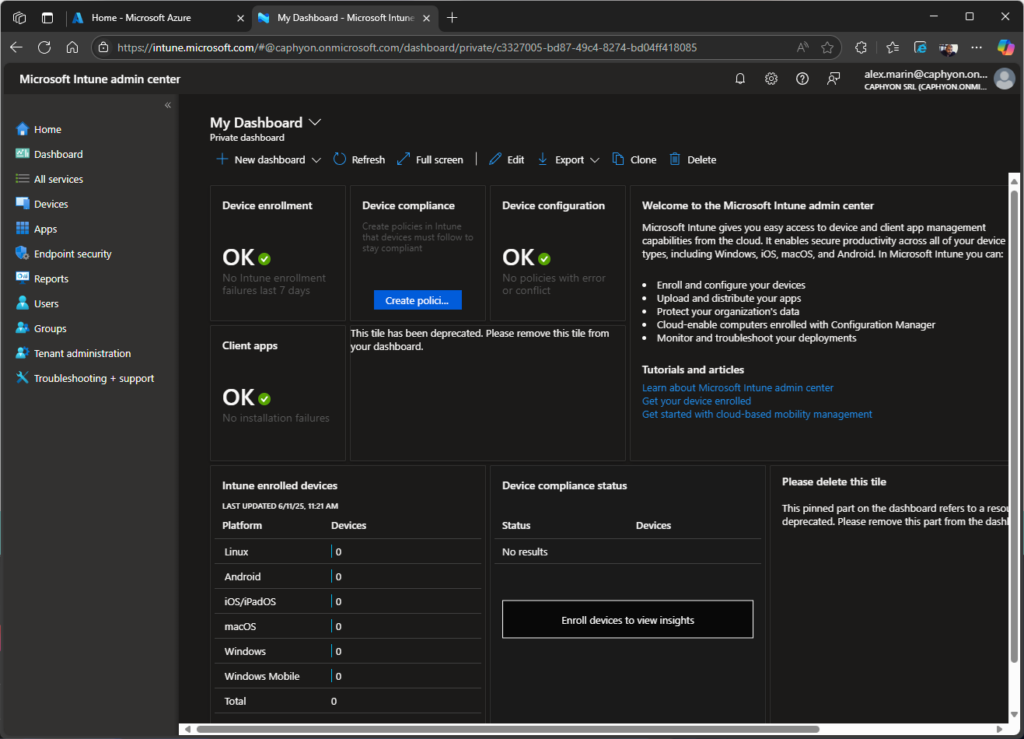
Unlike MECM, Intune supports a wide array of app types that can be created and deployed within the infrastructure. Here are the main categories:
- Store Apps: Apps available from official stores like Microsoft Store, Google Play, and Apple Store.
- Line-of-Business (LOB) Apps: Custom-built apps developed in-house to meet specific business needs.
- Built-in Apps: Pre-installed apps that are included with Intune for easy deployment.
- Web Link Apps: Web-based applications that add shortcuts to users’ devices.
- Microsoft Apps: Official Microsoft applications such as Defender, Edge, and Office 365.
- Win32 Apps: Although referred to as “legacy” applications, they actually represent a large portion of deployed applications in an infrastructure because of the options they provide apart from other app deployment types.
- Enterprise App Catalog Apps: Pre-packaged apps available in Intune’s Enterprise App Management feature. Keep in mind that this is an add-on feature that must be purchased separately.
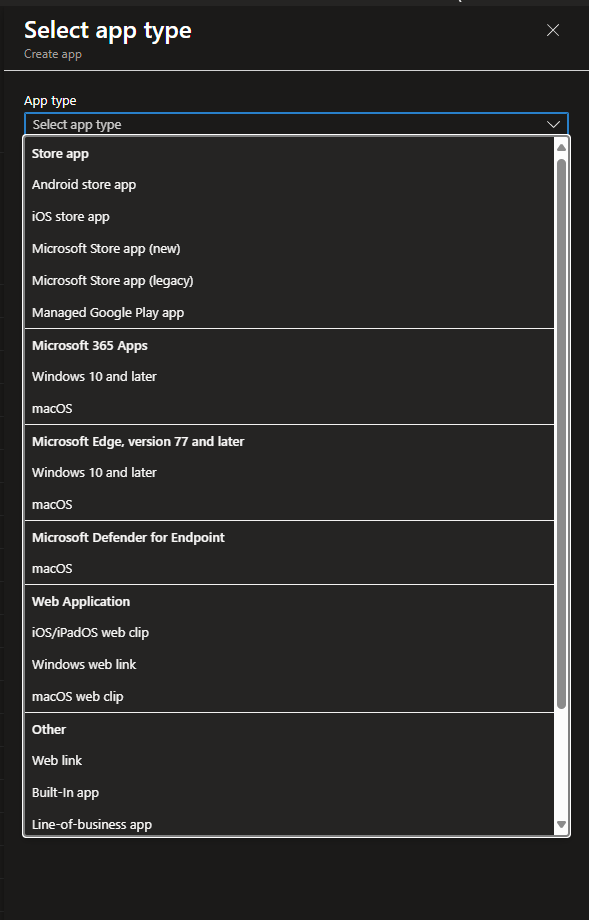
From the perspective of software packaging, we will only tackle LOB and Win32 Apps.
We already covered how to handle an Intune Deployment and customize a Line of Business (LOB) app installation, but also a complete guide on how to deploy Win32 Apps.
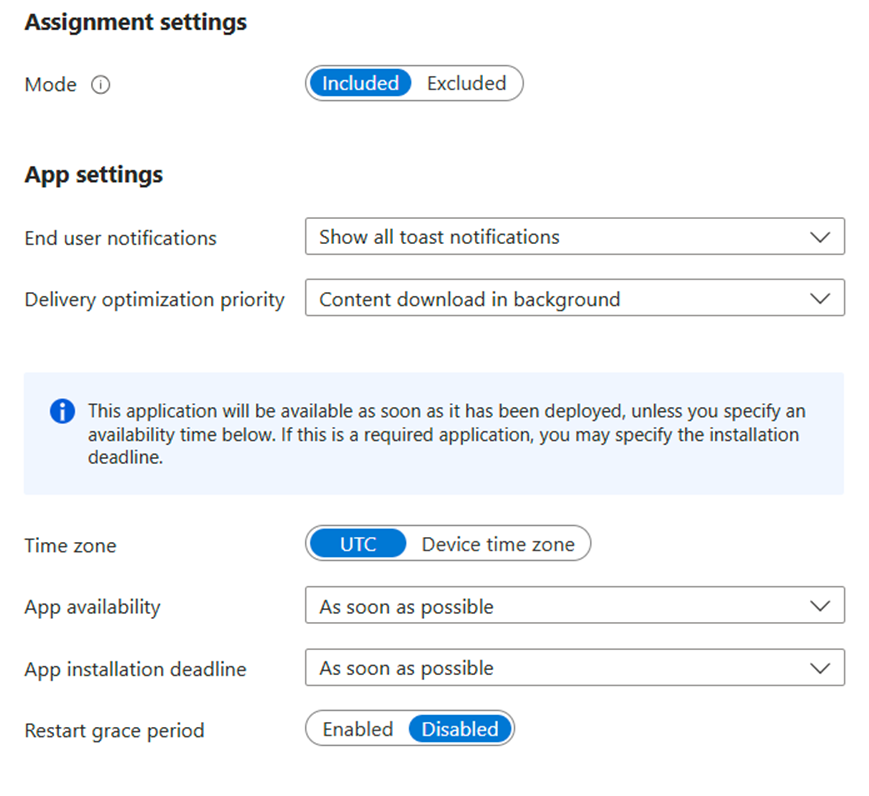
The main takeaway is that LOB applications only allow you to add MSI packages, whereas Win32 apps basically allow you to use EXE packages, MSI with MST packages, and custom scripting like PowerShell App Deployment Toolkit.
From a cost perspective, the estimated monthly cost for Microsoft Intune for 1000 clients depends on the plan you choose:
- Intune Plan 1: $8 per user/month, totaling $8000 per month.
- Intune Plan 2 (add-on): $4 per user/month, totaling $4000 per month.
- Intune Suite (advanced security & management): $10 per user/month, totaling $10,000 per month.
If your organization uses Microsoft 365 E3/E5 or Enterprise Mobility + Security (EMS) E3/E5, Intune may already be included, reducing costs.
PacKit powered by Advanced Installer
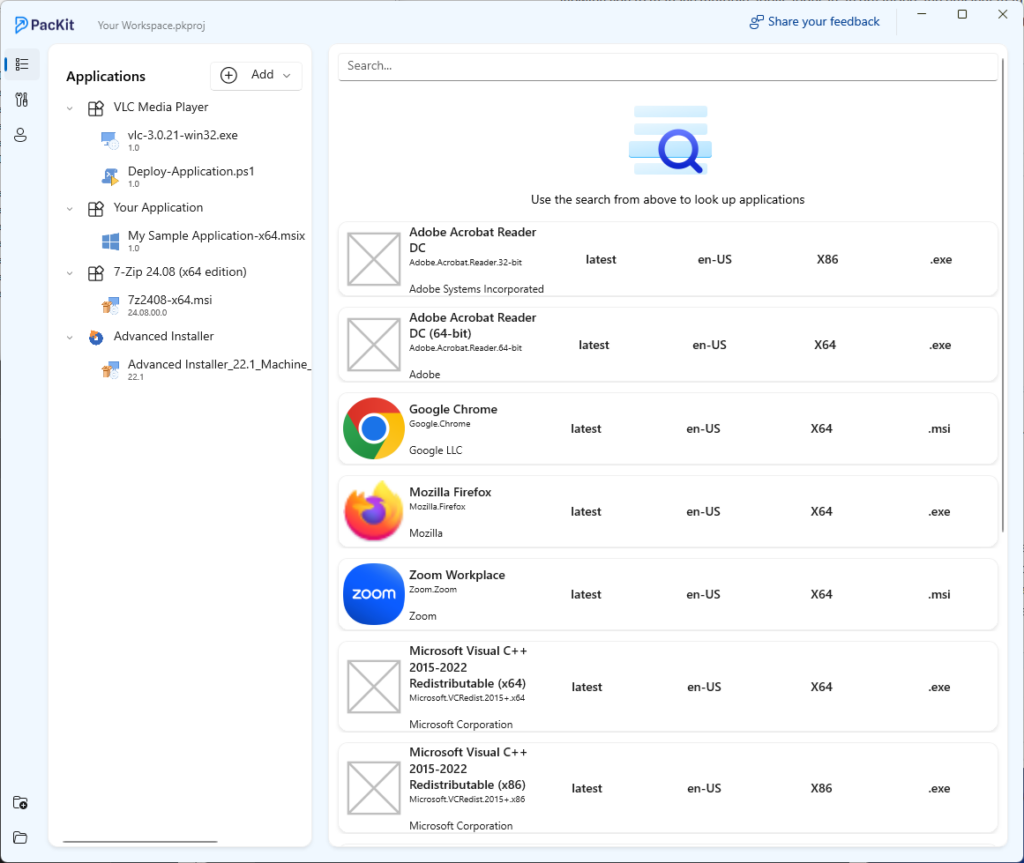
Advanced Installer released PacKit, a tool that simplifies the process between software packaging and application deployment.
PacKit is a tool that helps IT professionals streamline application packaging and deployment. It allows users to create, update, and upload software packages directly into Microsoft Intune and MECM (formerly SCCM).
Some of its main features include:
- Automated IntuneWin File Generation for easy packaging.
- MECM & Intune Deployment for MSI and EXE packages.
- PSAppDeployToolkit script execution automation.
- Troubleshooting tools to simplify package deployment.
- Dedicated workspace for managing package details.
PDQ
What started in 2001 as a tool created for IT Pros to manage an environment more easily turned into a huge third-party solution that rivals even the most popular Microsoft products.
The PDQ realized that the existing solutions, such as MECM (formerly known as SCCM), were too complex for small and medium-sized enterprises, so they developed PDQ Deploy and PDQ Inventory, two tools that were simple and efficient for inventorying your infrastructure and managing your software deployments.
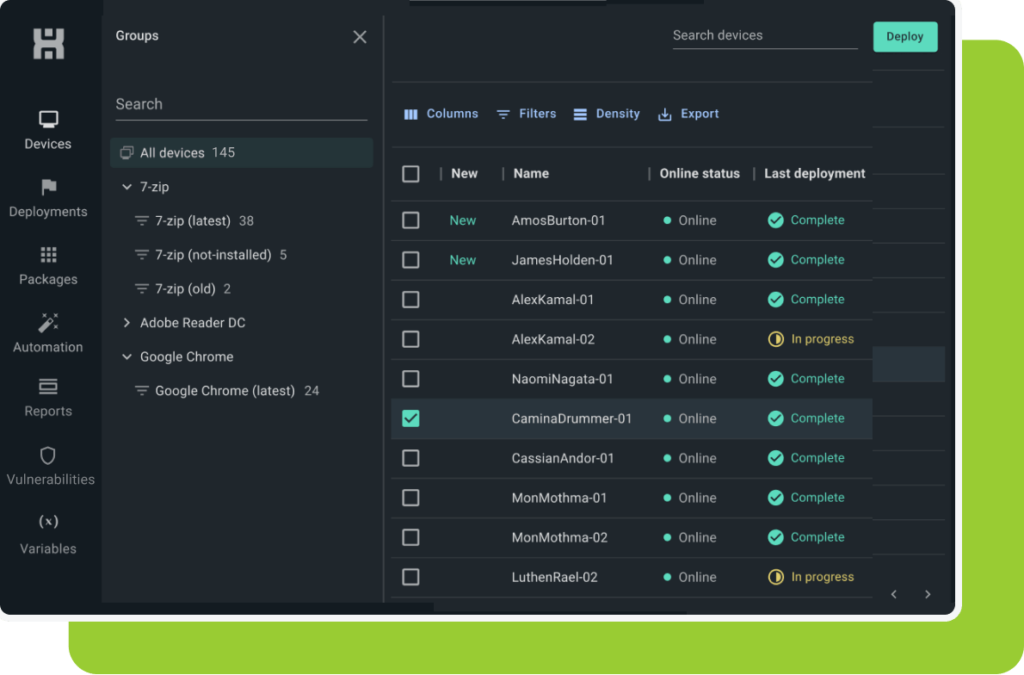
Now, PDQ provides a large library of prepackaged software that you can choose from, eliminating the need for medium or small organizations to rely on software packaging engineers.
Furthermore, PDQ is offering more and more capabilities, such as:
- Custom software deployment
- Automated patching
- Inventory management
- Windows feature updates
- Windows Updates
- Automatic CVE detection
- Risk scoring
- CVE Remediation options
- CVE Alerts & Notifications
If you can’t find your app in the PDQ catalog, worry not. PDQ can deploy EXE, MSI, and MSU files.
While MSIX is not explicitly listed as a supported format, PDQ offers the possibility to run PowerShell, VBScript, and Batch files, so you can create a simple installation wrapper for your MSIX application.
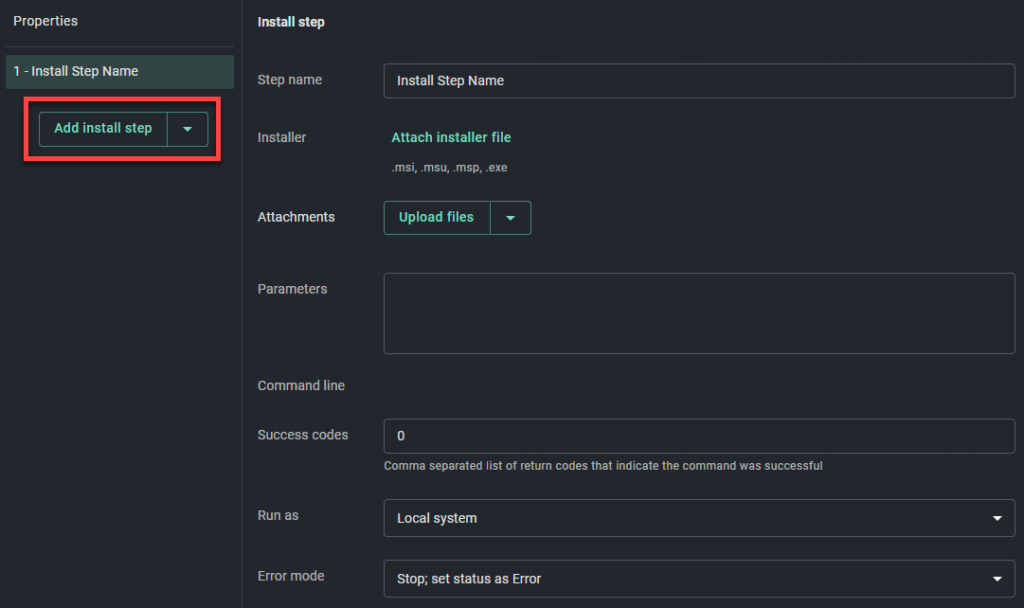
Overall, with the inclusion of vulnerability checking and patching, PDQ is a formidable competitor to the mainstream infrastructure management tools.
For 1000 clients, PDQ offers different pricing models depending on the product:
- PDQ Deploy & Inventory: Starts at $1,575 per admin/year. If you have multiple admins managing deployments, costs will scale accordingly.
- PDQ Connect: Starts at $12 per device/year, totaling $12,000 per year for 1000 devices.
The total cost depends on whether you’re using on-premise (Deploy & Inventory) or cloud-based (Connect) solutions. If you need advanced features like vulnerability management, additional costs may apply.
AppVentiX
Unlike other solutions, AppVentiX is a real-time application lifecycle management solution designed for App-V and MSIX environments. It simplifies application deployment, management, and inventory tracking for Azure Virtual Desktop (AVD), Windows 365 Cloud PC, and hybrid/on-premises setups.
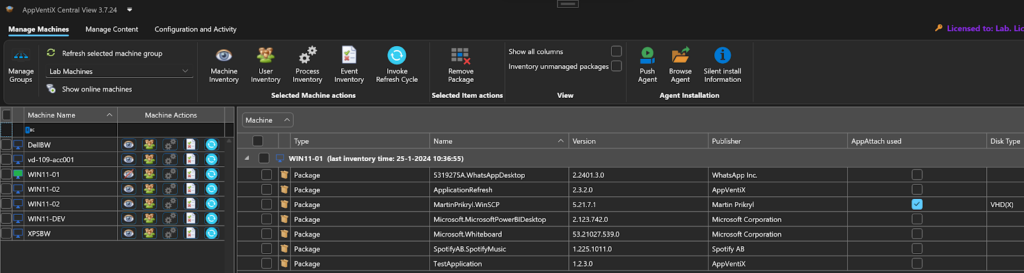
AppVentiX does not support any other packaging technologies, such as MSI or EXE, or any type of script deployments.
The premise is simple: integrate AppVentiX in your local Active Directory or Azure Active Directory, install the agent on the machines, and you are ready to go.
AppVentiX lets you import your MSIX packages from either the Microsoft Store or AppVentiX itself. You can also create your own MSIX package from scratch, but don’t expect a high level of customization on it.
If you face any issues with an MSIX package, AppVentiX has teamed up with Tim Mangan and implemented TMEdit, a specialized tool designed to edit and fix App-V packages and MSIX packages.
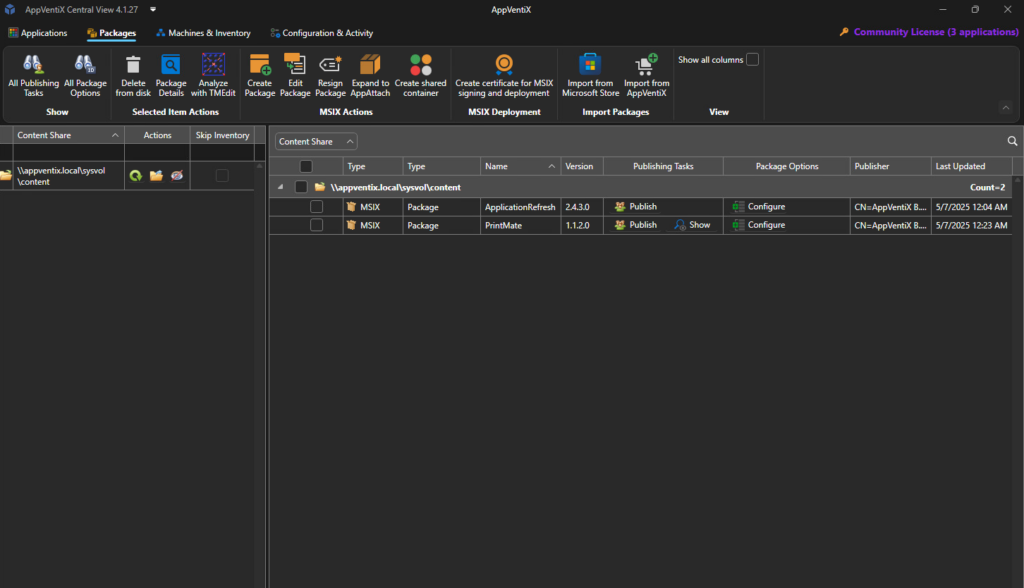
Overall, AppVentiX does its job very well for an MSIX administration tool and infrastructure inventory, and it’s easy to implement into the infrastructure.
AppVentiX does not publicly list its pricing for large-scale deployments. Instead, they offer a customized quote based on the number of users and specific requirements. You can get precise pricing details by requesting a free quote directly from their website.
ManageEngine
ManageEngine stands out as a leading provider of IT management software and offers a wide range of tools for network monitoring, security, endpoint management, and IT Service Management.
In short, ManageEngine is a full-stack IT Management Platform that monitors, secures, and optimizes IT infrastructures. Here are some of the most important capabilities:
- Identity and access management
- Unified Endpoint Management
- IT Operations Monitoring
- Security Information and Event Management (SIEM)
- IT Service Management (ITSM)
- Advanced IT Analytics
- Low-Code App Development
ManageEngine positions itself as the all-in-one solution that helps organizations reduce their costs. ManageEngine offers flexible pricing based on the number of devices and technicians required.
The cost for 1000 devices depends on whether you choose an annual subscription or a perpetual license:
- Annual Subscription: $9145
- Perpetual License: $20,085
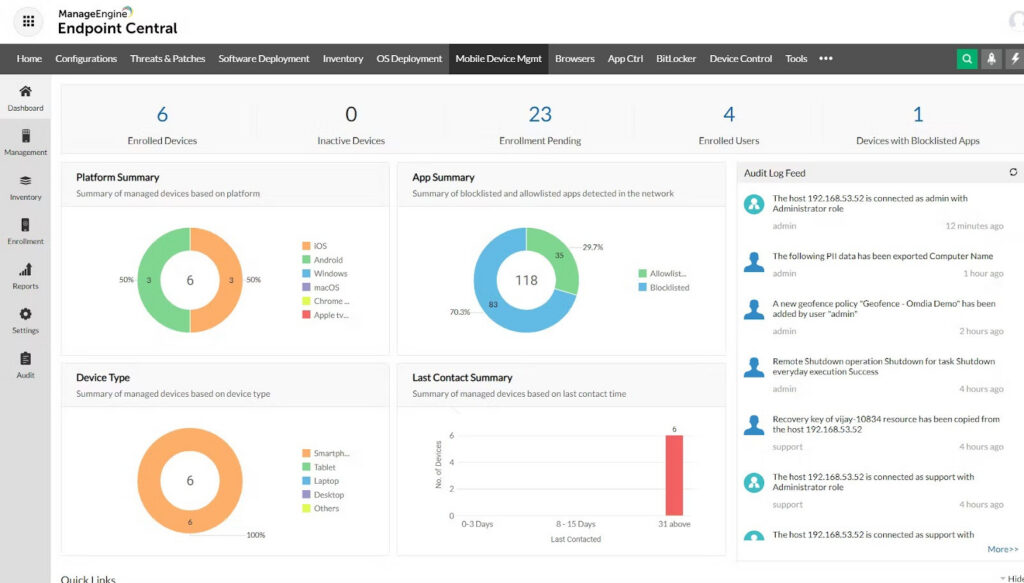
On the applications side, ManageEngine allows you to deploy:
- All types of application standards, such as MSI, EXE, APPX, MSIX, and MSP
- Wrappers and scripting technologies, such as CMD, BAT, VBS,and even DLLs.
Apart from that, as stated earlier, ManageEngine also provides security features such as infrastructure monitoring for CVEs, something that PDQ also does.
ManageEngine does more than just notify you about vulnerabilities. It also provides vulnerability assessments, remediation, and zero-day mitigation.
ManageEngine provides automated patch deployment for over 350 third-party applications, including Google Chrome, Adobe Acrobat, Java, and Microsoft Office.
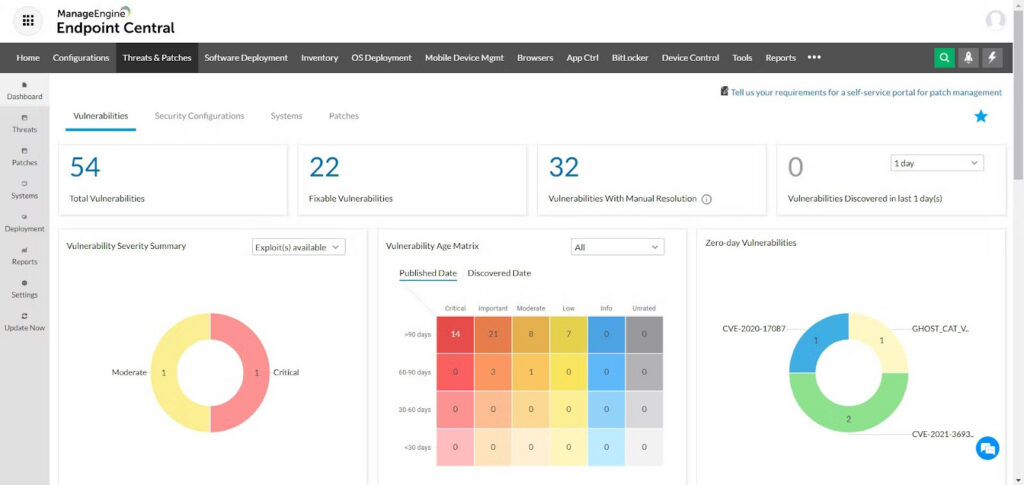
You can find a complete list of supported applications here. This means that ManageEngine is similar to PDQ, supplying you with prepackaged applications that you can easily deploy in your infrastructure.
Application deployment in ManageEngine is similar to MECM or Intune and includes:
- Automated rule-based software deployment
- Pre-made software templates
- A portal for self-service, planned deployment
- Automated deployments or manual control available for both silent installation and uninstallation for cloud and on-premise deployments, or group-based deployments
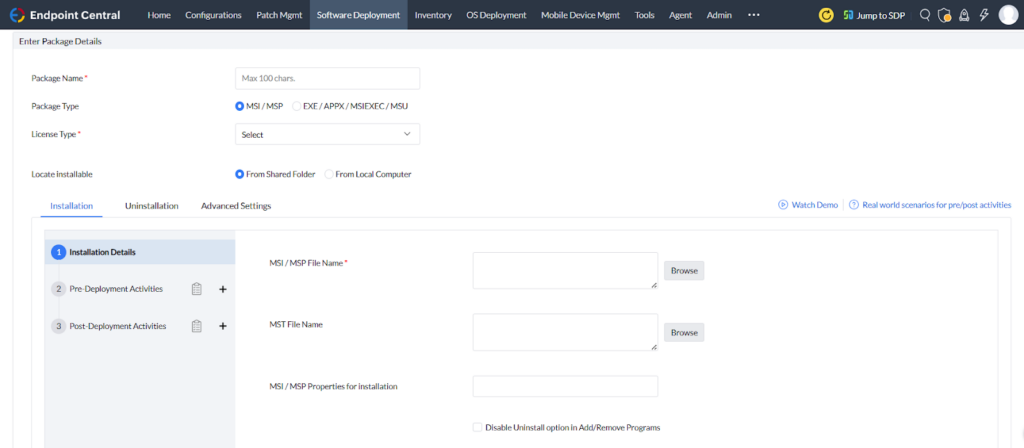
When we try to create a software deployment in ManageEngine, we can see that it follows the same concept as MECM. It allows you to choose the preferred software package, to specify properties for installation and uninstallation, and to add pre-deployment or post-deployment activities.
Final Takeaways
- Security context (post-2017 reality check): After WannaCry and NotPetya showed how fast “business as usual” can collapse, patching stopped being a mundane IT chore and became a requirement for uptime, compliance, and reputation.
- Security and Compliance Challenges: Unpatched apps are still the easiest “open window” into an environment, and the ugly truth is that scale, vendor inconsistency, and process gaps keep enterprises stuck in a permanent catch-up loop.
- WinGet: Windows finally got a first-party package manager decades late, but adoption is the final boss fight, because incomplete catalogs and vendor hesitation mean WinGet is promising, not yet universal.
- Software Packaging Technologies’ Wide array: Windows packaging diversity is not “flexibility”; it’s fragmentation, and when every installer behaves differently, standardization turns into a struggle for packagers.
- Vulnerability Detection Tools: Detection is only useful if it can be operationalized, so the tool list is less important than how alerts are routed through triage, ownership, and an actual remediation pipeline.
- MSI (upgrade vs. patch): MSI upgrades are usually the most popular path because they are simpler and more repeatable, while MSP patches demand strict discipline and extra build rules that many teams will hate.
- APPX/MSIX (upgrade identity): MSIX upgrades feel refreshingly straightforward because identity (Name, Publisher, Version, Architecture) drives the update logic instead of the MSI maze of product and upgrade codes.
- EXE: EXE updates have three possible endings: repackage to MSI, rely on vendor silent upgrade behavior, or wrap it with something like PSADT when the installer refuses to behave.
- Software Deployment Tools: MECM and Intune are powerful, but their cost and complexity often push smaller organizations toward cheaper tools that patch faster.
- Microsoft Endpoint Configuration Manager (MECM): MECM remains the heavyweight champion for on-premise control and reporting, and it deploys MSI and MSIX cleanly, but you pay in licensing, infrastructure, and operational overhead.
- Microsoft Intune: Intune brings modern cloud management and flexible app types, yet real-world Win32 deployment still is a matter of packaging, scripting, and getting installers to behave neatly.
- PacKit: PacKit aims to be the bridge between packaging and deployment by automating IntuneWin, PSADT workflows, and Intune & MECM uploads
- PDQ: PDQ’s superpower is speed plus a big prepackaged catalog, and once vulnerability awareness enters the picture, it starts looking less like “the simple tool” and more like a serious competitor.
- AppVentiX: AppVentiX is laser-focused on MSIX and App-V lifecycle management and does that job well, but the trade is obvious: you gain simplicity and fewer options for MSI, EXE, and scripting-heavy realities.
- ManageEngine: ManageEngine plays the “all-in-one platform” card with broad package support and built-in vulnerability remediation, and for many organizations that want one vendor to cover everything, that pitch is hard to ignore.
Conclusion
Security today is not just about detecting threats. It is about proving you can patch fast, everywhere, and consistently, even when the installer world can be chaotic.
WinGet helps, but Windows packaging is still split across MSI, MSIX, and EXEs, so the real differentiator becomes the deployment platform and how well your process turns alerts into fixes.
Whether you go with MECM, Intune, PDQ, ManageEngine, AppVentiX, or speed things up with PacKit, the win is the same: reduce time-to-remediate, minimize human error, and stop vulnerabilities from living rent-free in your business.